


AthleticAPP
2.0225.00 Reviews
App Specs
- Version
- 1.21.10
- Updated On
- License
- Free
- Downloads
- 100,000+
- Developer
- Athletic+
- Categories
- Sports
- Platform
- Android
Screenshots
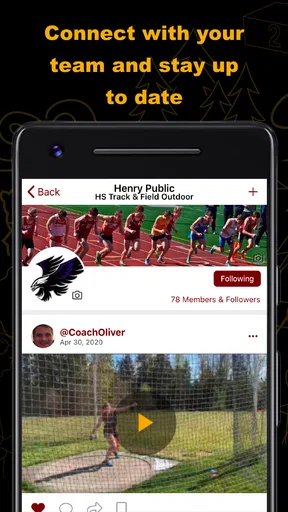
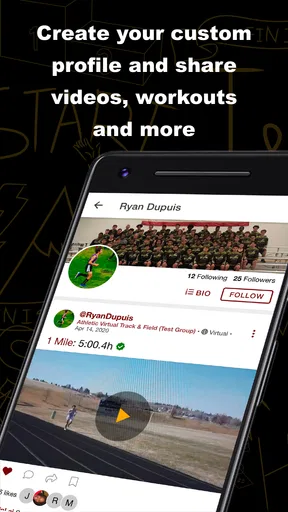
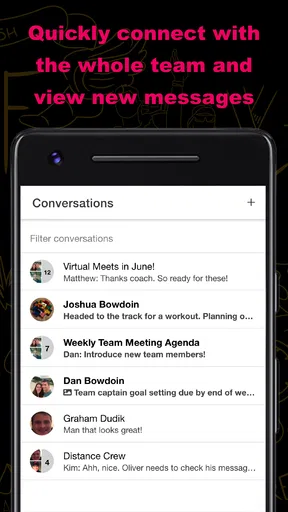
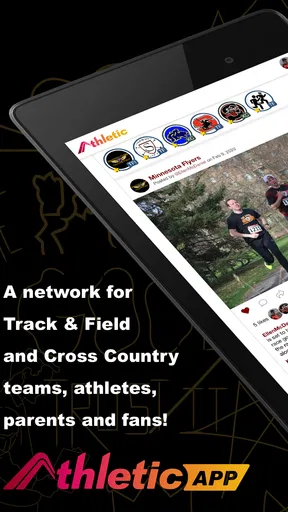
 Analysis by AppCompare
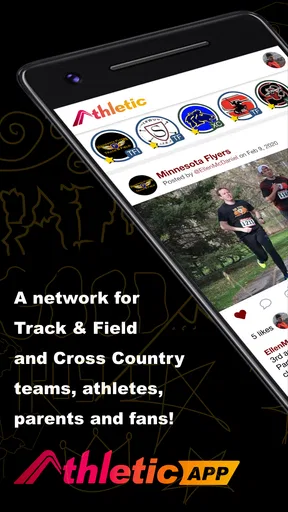
I’d approach AthleticAPP with a very specific expectation: it is a sports app for the day-to-day communication and virtual entry needs of cross-country and track-and-field teams, not a general fitness coach. That distinction matters. If you are trying to coordinate a team or get into a team event, a tool built around that setting may be more useful than a broad workout tracker. If you want meal plans, exercise videos, or personal health analytics, you should look elsewhere.
Where AthleticAPP fits today
Developed by Athletic+, AthleticAPP is free to install and is rated for Everyone. It has passed the 100,000-install mark, but its average rating is 2.0 from around 337 ratings, a signal I would take seriously rather than gloss over. That does not tell me exactly what any individual will experience, but it does suggest that I should test the app carefully before relying on it for an important team routine.
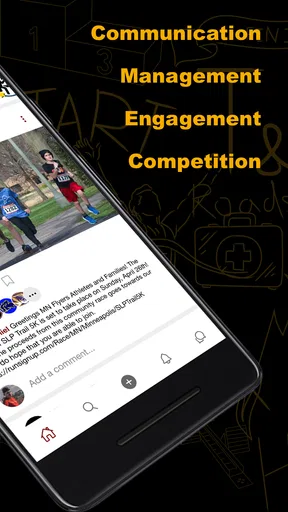
The useful question is not whether it can replace every app a team already uses. It is whether it can reduce the little points of friction around team communication and virtual access. For a coach, athlete, or family member who needs a team-specific channel, that focus could be a strength. For someone looking for a public running community or a training plan, the same narrow focus is a reason to skip it.
What the release history tells me
The app was released on March 19, 2020, and its current version is 1.20.12. Those facts place it beyond a first launch, but they do not, by themselves, explain what has changed between releases. I would not treat the version number as proof of a particular feature or assume that a recent update has resolved a problem. The sensible way to assess its present state is to check the current app experience and confirm that it supports the way your team actually handles communication and entry.
That distinction is important for existing users, too. A version label can show that the software has continued through multiple iterations, but it cannot guarantee that every team workflow has improved or that every member will find it intuitive. If your group already uses AthleticAPP, I would keep an eye on whether it makes the shared routine clearer in practice, rather than judging progress by update numbers alone.
A practical team-day scenario
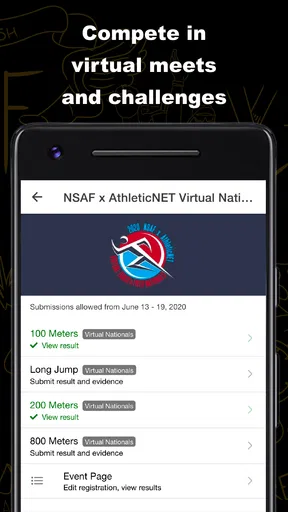
Imagine a runner getting ready to leave for a meet while a parent is trying to confirm where the team is expected to gather. A team-focused communication and virtual-entry app may give the group a shared place to handle that kind of coordination, instead of scattering messages across personal chats. The benefit is less about an impressive feature list and more about whether everyone knows where to look before the rush of a meet day.
For that workflow to work, the team has to use the app consistently. I would agree with a coach or team administrator on what belongs in the app, who is expected to check it, and what the backup channel is if someone cannot get in. That simple ground rule is a practical safeguard: a digital team space helps only when the people who need it can access it and understand where updates will appear.
Worth Reading Before You Choose

EA SPORTS FC Mobile 26 Is a Bigger Football Game, but It Takes Time

Flipboard Shows What News Apps Must Do Beyond the Feed

Switching to Android Auto Means Rethinking Your Driving Routine

Google Calendar Makes a Crowded Week Easier to Manage

Ludo King Makes the Most of the Minutes Between Plans

Baby Panda World Brings Quick Play to Modern Phones, but Its Game Library Feels Busy
How it compares with familiar alternatives
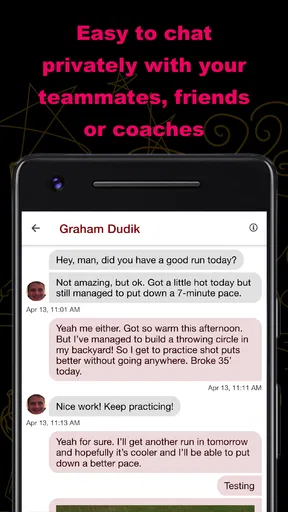
Many teams coordinate through group texts, email, or a general-purpose messaging app. Those tools are familiar and can be easier to adopt when only a few people need to share a quick update. Their weakness is that team details can get mixed in with unrelated conversations, and an important message may be hard to find later. AthleticAPP’s sports-team focus is appealing if your group wants communication and virtual entry tied to its cross-country or track-and-field setting.
On the other hand, a general calendar or messaging service may be a better fit if your team already has a dependable system and does not need a separate app. A running tracker is a better choice for monitoring personal training, routes, or performance, while a fitness planner is better for workouts and nutrition. I would not install AthleticAPP expecting those tools; its value depends on the team coordination problem you actually need to solve.
Small choices that can prevent confusion
Before inviting a whole team to rely on it, I would test the basic path with one or two people: can they open the app, find the relevant team information, and understand what action is expected? This is more informative than simply installing it and assuming the setup is complete. It can reveal whether a new athlete or family member will need a quick explanation before a time-sensitive event.
I would also make the app part of a predictable routine rather than expecting people to check it constantly. For example, a team could decide that members look for event-related updates at a set point in their day, while urgent changes still go through an agreed backup method. This avoids a common trade-off with team apps: a shared channel can centralize information, but it does not help if users do not know when to check it.
Your Fitness Journey Companion
When I first downloaded AthleticAPP, I was instantly drawn to its sleek and intuitive interface. It’s like stepping into a digital gym where everything is neatly organized. From the get-go, setting up my profile was a breeze. I punched in my fitness goals, preferred workout types, and dietary preferences, and voila, I had a personalized fitness plan ready to roll.
Workout Routines Galore
What sets AthleticAPP apart is its extensive library of workout routines, crafted for all fitness levels. Whether you're a newbie or a seasoned athlete, there’s something for everyone. I loved how the app lets you filter workouts by duration, intensity, and equipment. For those days when I felt like skipping the gym, the no-equipment workouts were a lifesaver.
The guided videos are a standout feature. It’s like having a personal trainer in your pocket. The trainers are engaging, and the instructions are easy to follow, making sure you nail the form for each exercise. Plus, the ability to track your progress and see those calories burned adds a nice touch of motivation.
Nutrition Made Simple
We all know that fitness is more than just working out; it's also about what you fuel your body with. AthleticAPP doesn’t skimp on the nutrition side of things. The meal planner is a game-changer. It offers a variety of meal plans that cater to different dietary needs, be it vegan, keto, or gluten-free.
Each recipe comes with detailed nutritional information, and the app even creates a shopping list based on your chosen meals. I found myself trying out new recipes each week, which was a refreshing change from my usual meal prep routine.
Tracking and Analytics
One of the most satisfying aspects of AthleticAPP is how it tracks your progress. The analytics dashboard is comprehensive yet easy to digest. I could see my workout streaks, calorie intake versus burn, and even my sleep patterns. It’s all about seeing the bigger picture of your health journey.
The app syncs seamlessly with wearable devices, so if you're someone who loves tracking every step and heartbeat, you’re in luck. I found this feature particularly handy during my morning runs, as it kept me informed about my pace and distance in real-time.
Community and Motivation
Let’s face it, staying motivated can be a challenge. AthleticAPP tackles this with its community feature. You can join groups, participate in challenges, and even have a friendly competition with friends. The social aspect adds a layer of accountability and makes the whole journey more enjoyable.
There’s also a section for success stories, which I found incredibly inspiring. Reading about others’ journeys and achievements gave me that extra push on days when I needed it.
Final Thoughts
In a sea of fitness apps, AthleticAPP stands out with its comprehensive approach to health and fitness. It's more than just an app; it’s a lifestyle companion that adapts to your needs. From workouts to nutrition to community support, it covers all bases. So, if you're looking for a reliable partner to help you stay on track, give AthleticAPP a try. It might just be the boost you need to achieve your fitness goals.
Costs and expectations
The download is free, though in-app purchases are listed from $9.99 to $95.00 per item. I would check what a purchase covers before spending, especially if you only need the app for team access rather than broader services. The free entry point makes it possible to assess whether it fits, but it does not mean every option inside is included at no cost.
For a parent or athlete, the practical question is whether the team requires a paid item for the task you need to complete. I would ask the coach or team contact before purchasing anything, so you do not pay for a capability your group does not use. If you are simply evaluating the app, start with the free experience and confirm that it addresses the real coordination need first.
Who should give it a chance
I can see the strongest case for AthleticAPP when a cross-country or track-and-field team wants a dedicated place for communication and virtual entry. It may suit athletes who prefer team information not to be buried among unrelated texts, and families who need a clear team-oriented point of reference. Coaches and organizers may also find a dedicated channel useful if it makes routine communication easier for members to follow.
I would be more cautious if you are joining a team that already has a reliable, well-understood system. Adding another app can create more work rather than less when people have to check multiple channels. It is also not the right choice for someone who wants a standalone running log, coaching plan, calorie counter, or social feed centered on individual exercise. In those cases, a specialist tool designed for that personal goal is likely a better match.
What I would verify before relying on it
Because a team app is only as useful as the group’s habits, I would confirm that the relevant athletes and adults can access the same team space and know how virtual entry is handled. I would also establish who is responsible for posting changes and how members should respond to them. These are not glamorous setup steps, but they are what turn an app from an icon on a phone into a dependable part of a team routine.
The 2.0 average rating makes a cautious trial especially sensible. I would not assume the score predicts my own experience, but I would avoid making it the sole channel for an important deadline until the team has tested its normal process. A short practice run before a real event can expose confusion early, when there is still time to resolve it without putting someone under pressure.
What to watch as you use it
For current users, the useful measure of progress is whether the app keeps the team’s practical tasks understandable as routines change. Watch for clarity: can a newcomer tell where to find the information they need, and can returning members complete familiar steps without asking the same questions each time? Those are more meaningful signs of fit than a feature count or a version label alone.
Pros
- User-friendly interface with intuitive navigation.
- Comprehensive workout tracking features.
- Customizable fitness goals and reminders.
- Integration with popular fitness devices.
- Offers a variety of workout plans.
Cons
- Requires a subscription for premium features.
- Limited social sharing options.
- Occasional sync issues with devices.
- Some features need a stable internet connection.
- Ads in free version can be intrusive.
FAQs for AthleticAPP
What features does AthleticAPP offer for tracking workouts?
AthleticAPP provides a comprehensive suite of features for tracking workouts, including GPS tracking for outdoor activities, customizable training plans, and integration with wearable devices. Users can log various exercises, monitor progress with detailed analytics, and set personal goals to stay motivated. The app also offers a community feature to connect with other fitness enthusiasts.
Is AthleticAPP compatible with all mobile devices?
AthleticAPP is designed to be compatible with both Android and iOS devices. It supports a wide range of operating system versions, ensuring that most users can access its features. However, for the best experience, it's recommended to use the app on devices running the latest software updates. Always check the app store for specific compatibility details.
Does AthleticAPP offer a free version, or is it subscription-based?
AthleticAPP offers a freemium model, providing basic features at no cost. For users seeking advanced functionalities, such as personalized coaching and premium analytics, the app offers a subscription-based service. This allows users to choose a plan that best fits their fitness goals and budget, with monthly or yearly payment options available.
How secure is my data on AthleticAPP?
AthleticAPP places a high priority on user data security. It employs encryption protocols to protect personal information and workout data. Users have control over their privacy settings, enabling them to manage who can view their activity. The app adheres to industry standards for data protection, ensuring a safe experience for all users.
Can I sync AthleticAPP with other fitness apps and devices?
Yes, AthleticAPP is designed to seamlessly sync with a variety of fitness apps and devices. It supports integration with popular platforms like Apple Health, Google Fit, and major wearable devices. This feature allows users to consolidate their fitness data in one place, offering a holistic view of their health and progress.


